How to Transform Your Old Photos into Stunning Modern Images with AI Background and Color Design

Do you have old, faded, or black-and-white photographs of your parents, grandparents, or childhood that are full of memories—but dull in appearance? Thanks to advances in artificial intelligence (AI), you can now transform those aged photos into vibrant, modern masterpieces with enhanced color, facial detail, and beautiful new background designs.
In this article, we’ll explore how you can convert your vintage images into contemporary artworks using AI-powered tools. Whether you’re looking to restore, colorize, or redesign an image’s backdrop, this guide will walk you through everything you need to know.
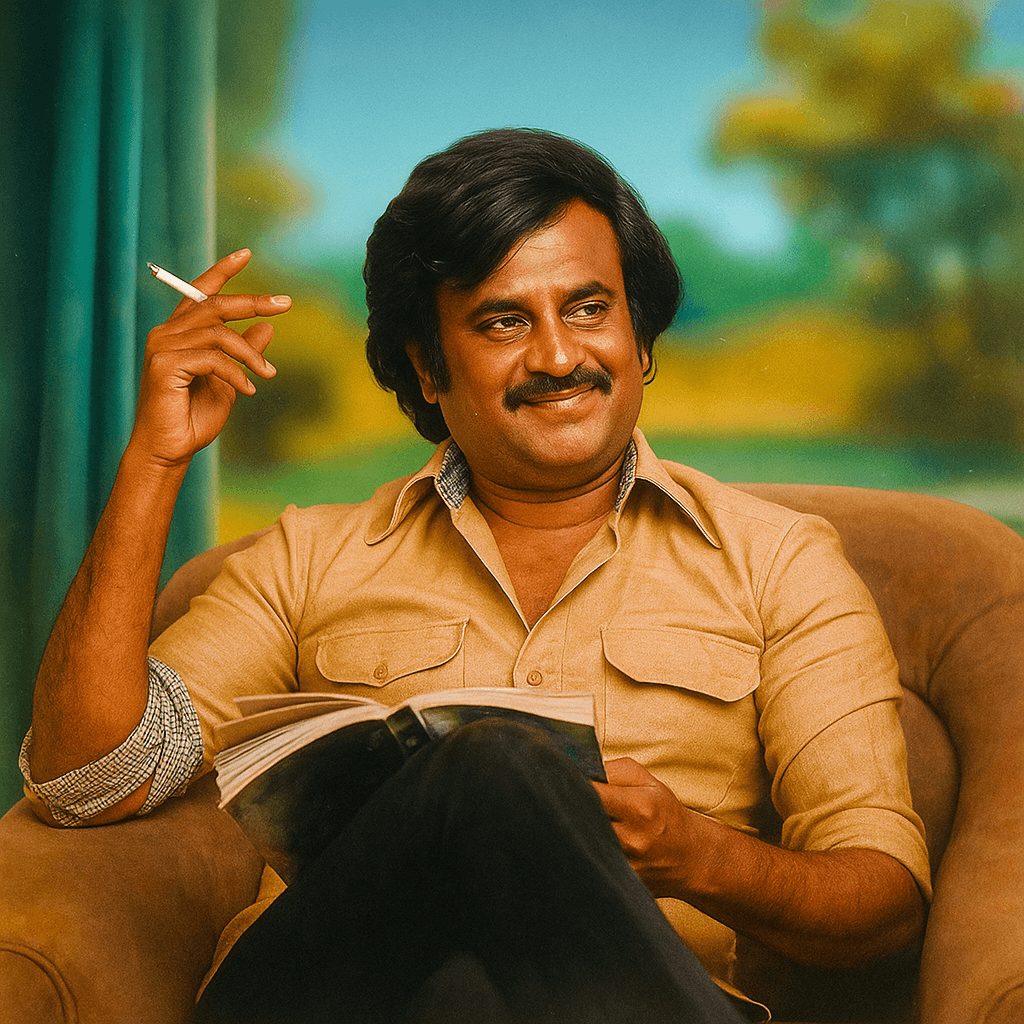
1. Why Restore Old Photos?
Old photographs are powerful time capsules. However, they are often:
- Faded or yellowed
- Black and white
- Damaged with scratches or tears
- Low resolution

Restoring them helps:
- Preserve heritage
- Create gifts for loved ones
- Celebrate milestones like anniversaries
- Bring ancestors to life in a visually rich way
2. The Rise of AI in Photo Restoration
Artificial Intelligence and Machine Learning have changed the way we handle image processing. Advanced models can now:
- Automatically detect and fix image damage
- Add realistic color based on context
- Enhance facial features
- Replace or beautify backgrounds
- Sharpen blurry images
Tools like DeOldify, Remini, Photoshop AI, and Fotor offer photo restoration features, often in just one click.
3. From Black and White to Color – The Magic of AI Colorization
One of the most dramatic changes AI offers is colorizing black and white photos. Here’s how it works:
- AI scans the grayscale image
- Analyzes objects (like faces, clothing, trees)
- Applies realistic colors based on millions of trained images
For example, a 1960s photo of a man in a white veshti (traditional Tamil attire) sitting in a rural home can now appear with:
- Warm skin tones
- Rich fabric textures
- A green landscape in the background
- Blue skies and daylight lighting effects
The result? It looks like it was clicked today—without losing the emotion of the original photo.
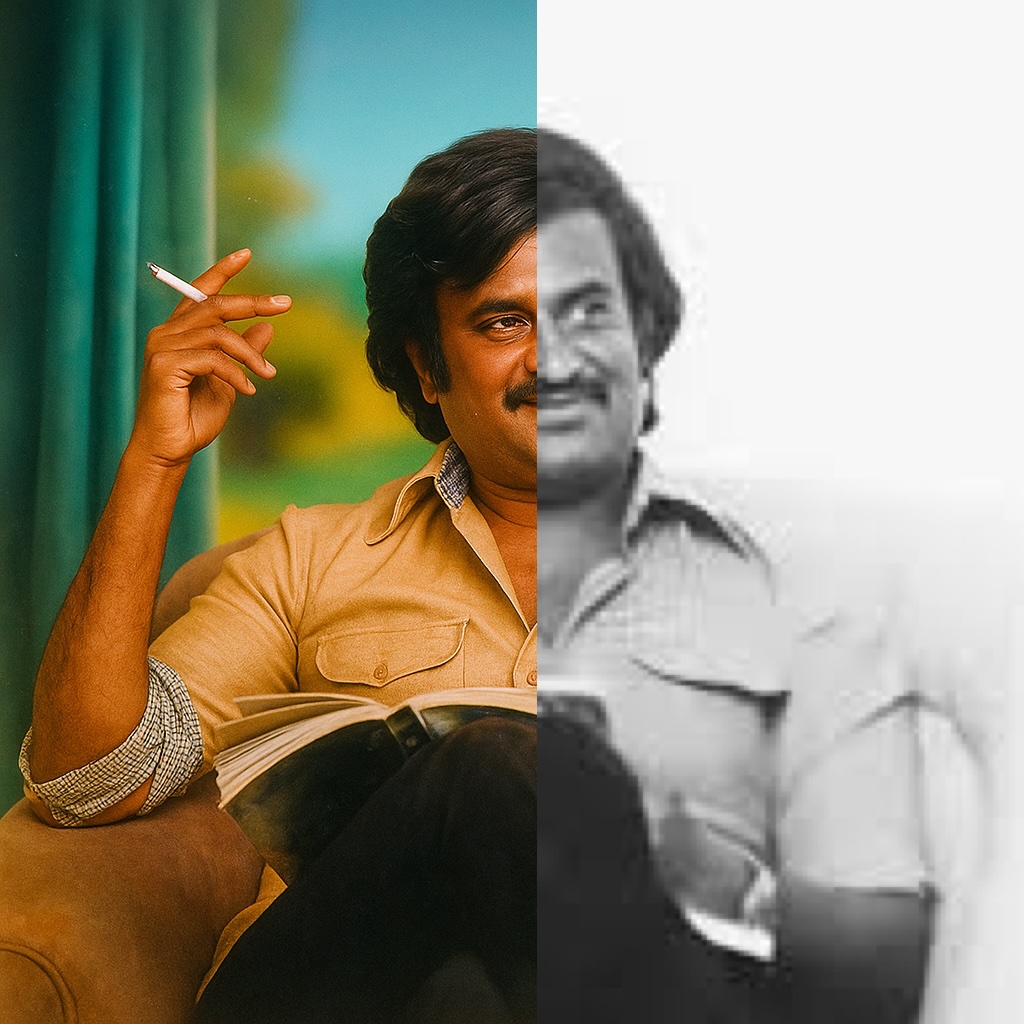
4. Enhancing the Background with Modern Design
You can also replace or redesign the image background with modern scenes such as:
- Scenic natural landscapes
- Urban architecture
- Minimalist indoor setups
- Vintage-style modern homes
AI tools detect the main subject, isolate them from the original background, and allow you to:
- Replace backgrounds
- Blur backgrounds for focus
- Add artistic styles (cinematic, watercolor, sketch, 3D render)
This helps transform old photos into contemporary visuals ready for framing, gifting, or sharing on social media.
5. Popular Use Cases
Let’s look at how people are using this:
a) Family Tree Projects
Reconstruct generational photos in full color and display them on walls or websites.
b) Wedding Anniversaries
Gift your parents a modern version of their old wedding photo with beautiful color and backgrounds.
c) Historical Archives
Old cultural or village photographs now have a fresh look for museums or documentaries.
d) Social Media Reels
Turn nostalgic moments into cinematic stories for Instagram or YouTube.
6. Best AI Tools for Photo Restoration
Here are some reliable tools:
| Tool Name | Features | Free/Paid |
|---|---|---|
| Remini | HD upscaling, colorization, face sharpening | Freemium |
| MyHeritage | Colorizes and animates photos | Freemium |
| Fotor AI | Background editing, face enhancement | Freemium |
| Photoshop AI | Precise manual and auto enhancement | Paid |
| DeOldify | Open-source B/W to color | Free |
7. Step-by-Step: How to Transform an Old Photo
Here’s a typical process:
Step 1: Scan or upload your old photo
Step 2: Use an AI tool to upscale and repair any damage
Step 3: Apply AI colorization
Step 4: Use background editor to add a modern, scenic backdrop
Step 5: Download and save or print the updated image
8. Tips for Best Results
- Use high-resolution scans of old photos
- Try multiple tools to compare results
- Adjust background to match lighting and attire
- Don’t over-edit—preserve authenticity
- Add a modern caption or frame for extra flair
9. Real-Life Example
Imagine a 1970s photo of your grandfather farming in a village in Tamil Nadu. The original image is black-and-white, blurred, and cracked.
With AI, you now have:
- A vivid image with natural skin tone and veshti pattern
- Sunlight-enhanced fields in the background
- A soft modern sky with light clouds
- Improved facial clarity showing emotion
This can be printed, turned into wall art, or even turned into an animation for family events.
10. Share Your Stories
If you’ve transformed an old photo, share your before-and-after stories. People love nostalgic transformations—and it can inspire others to reclaim their past using technology.
Tag your results on social media with hashtags like:
- #AIPhotoRestoration
- #OldToNewPhoto
- #VintagePhotoTransformation
387 total views


Leave a Reply
You must be logged in to post a comment.